

 This article explains a B2B subscription operations workflow built by integrating Sanka and HubSpot.
Let’s walk through a concrete process that connects sales and back-office operations to improve efficiency.
This article explains a B2B subscription operations workflow built by integrating Sanka and HubSpot.
Let’s walk through a concrete process that connects sales and back-office operations to improve efficiency.
Table of contents
Prerequisite knowledge
To streamline subscription operations by integrating Sanka and HubSpot, the following Sanka basics are helpful.Demo video
The following video summarizes this article. Please watch it along with the guide.Common challenges
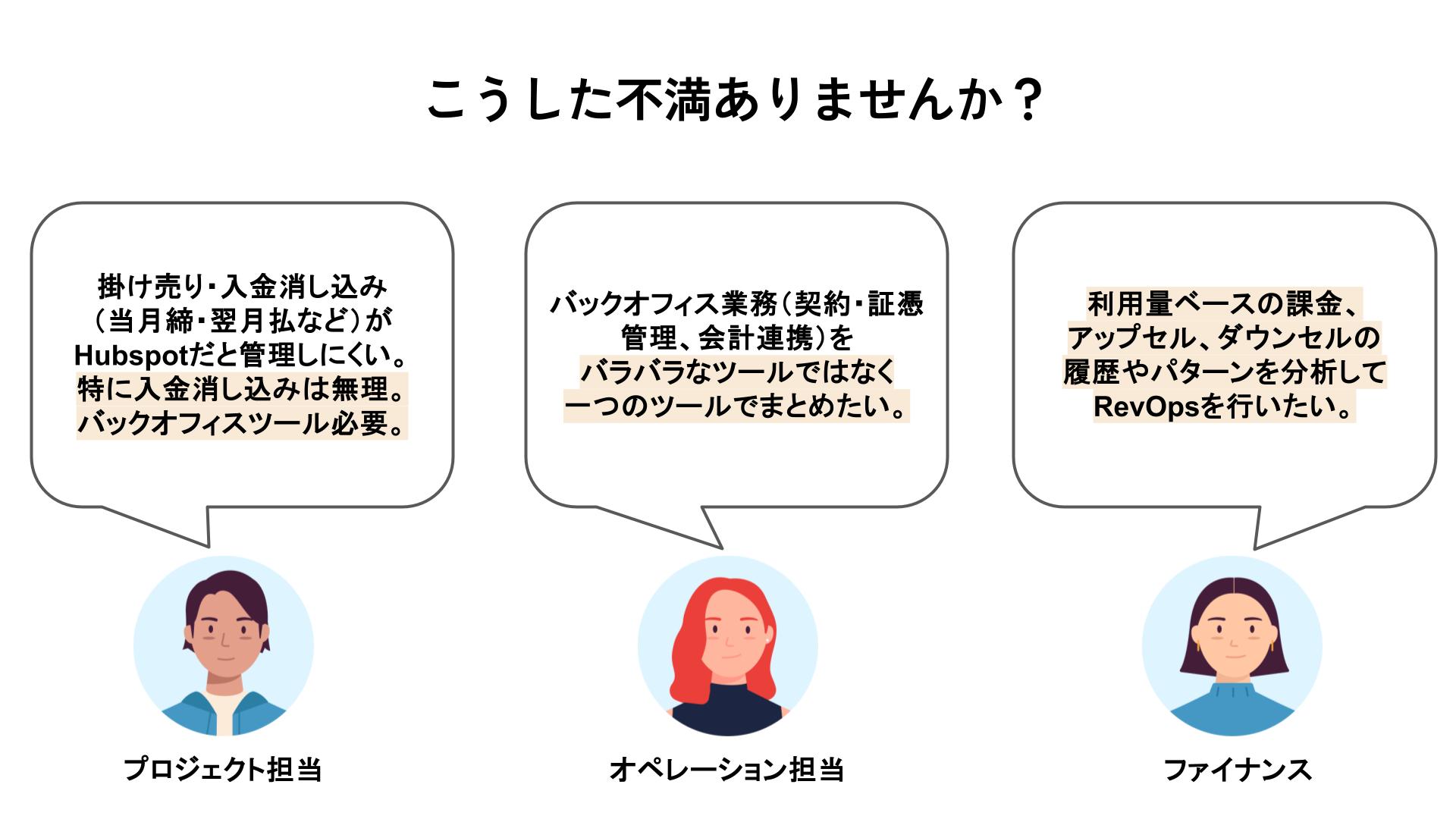 HubSpot is a powerful CRM for sales, marketing, and customer service. However, when you manage a subscription business in HubSpot alone, these challenges are common.
Complex payment collection and reconciliation
HubSpot is a powerful CRM for sales, marketing, and customer service. However, when you manage a subscription business in HubSpot alone, these challenges are common.
Complex payment collection and reconciliation
- For non-card payments such as bank transfers or invoicing, payment confirmation and reconciliation are required, which is hard to manage in HubSpot alone.
- The standard features do not sufficiently connect payment data with operational data.
- It is difficult to fine-tune invoice or delivery note formats, and PDF templates are limited.
- Contract management such as electronic signatures is hard, and integrations with accounting tools like freee and Money Forward are limited.
- Customer-level upsell/downsell analysis and segmentation-driven retention improvements are essential, but hard to execute in HubSpot alone.
Workflow and details
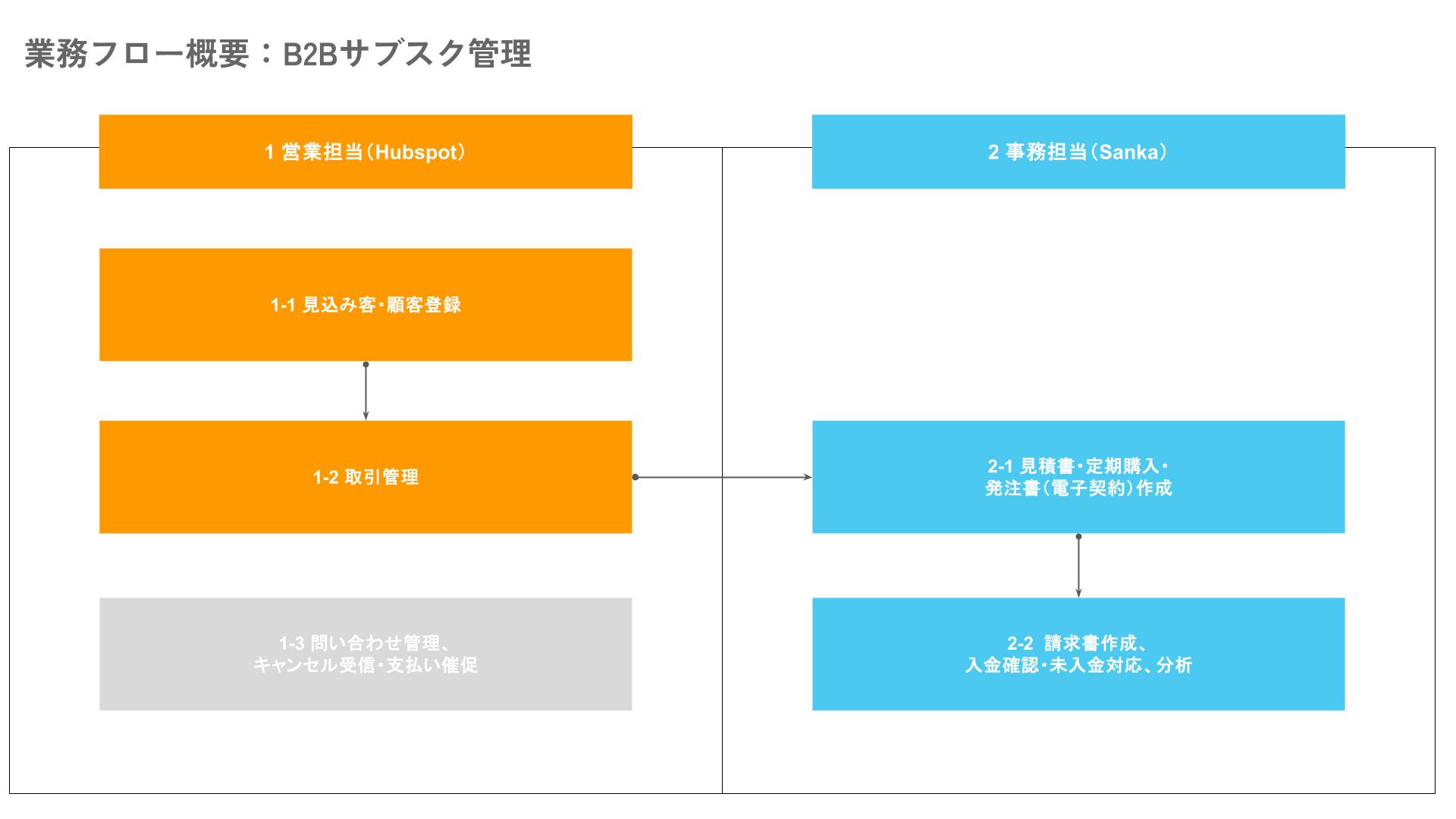 The table below summarizes each phase of the B2B subscription workflow and its details.
Workflow details: B2B subscription operations
| ID | Owner | Frequency/Timing | Task |
|---|---|---|---|
| 1-1 | Sales | New deals | Lead/customer registration: create a company record in HubSpot |
| 1-2 | Sales | New deals | Deal management: create a deal record in HubSpot |
| 1-3 | Sales | As needed | Inquiry handling: respond in the HubSpot inbox |
| 2-1 | Back office | Every morning | Create quotes, purchase orders (e-contracts), and subscription records in Sanka based on order info |
| 2-2 | Back office | Every morning or monthly | Create invoices, confirm payments, handle overdue accounts, and analyze in Sanka |
1-1. Lead/customer registration: create a company record in HubSpot
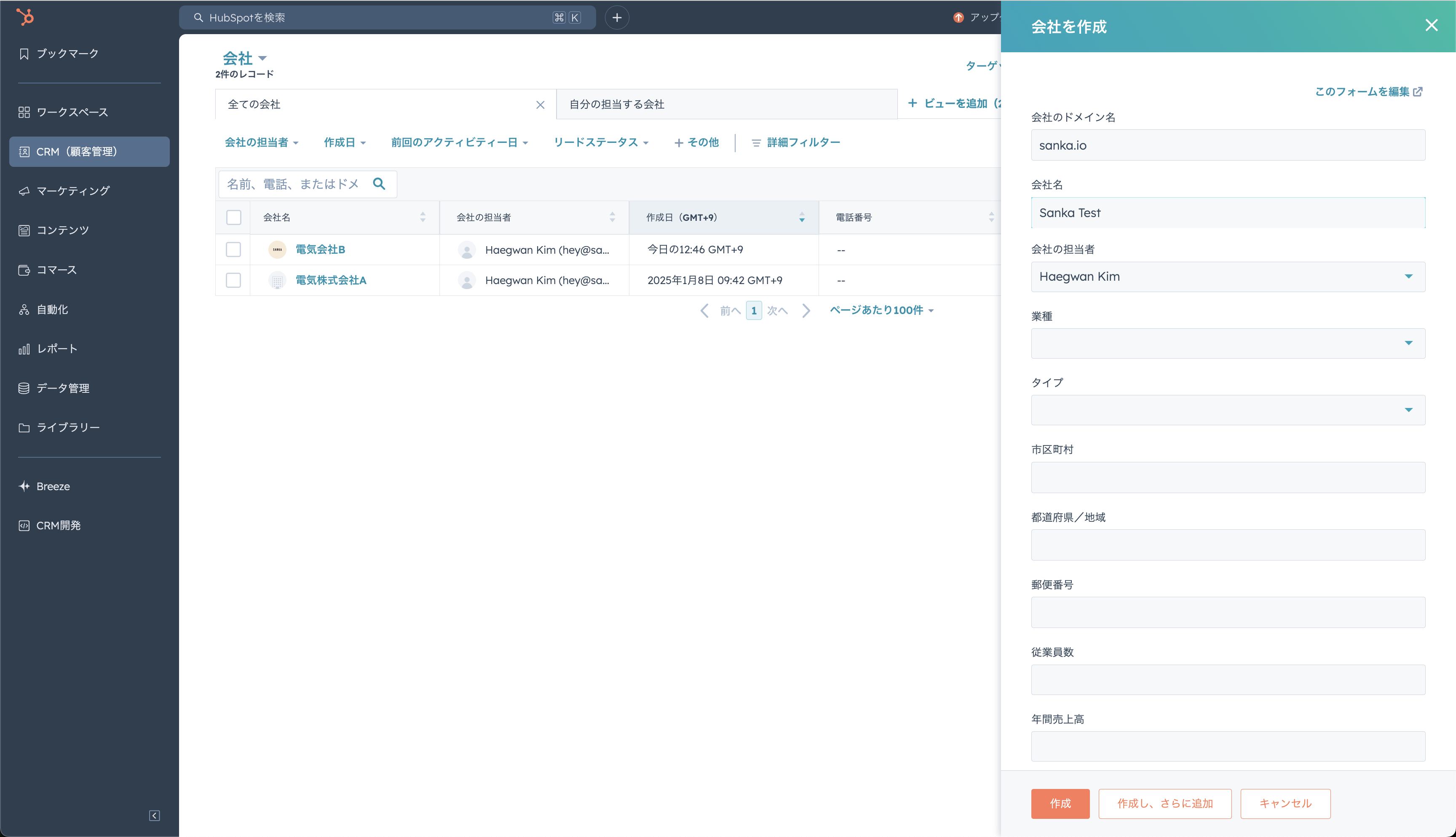 Sales reps enter basic lead/customer information and deal details in HubSpot (for example, plan, quantity, and unit price for an energy management system).
This ensures front-office data collection is smooth and accurate information flows into the next steps.
Sales reps enter basic lead/customer information and deal details in HubSpot (for example, plan, quantity, and unit price for an energy management system).
This ensures front-office data collection is smooth and accurate information flows into the next steps.
1-2. Deal management: create a deal record in HubSpot
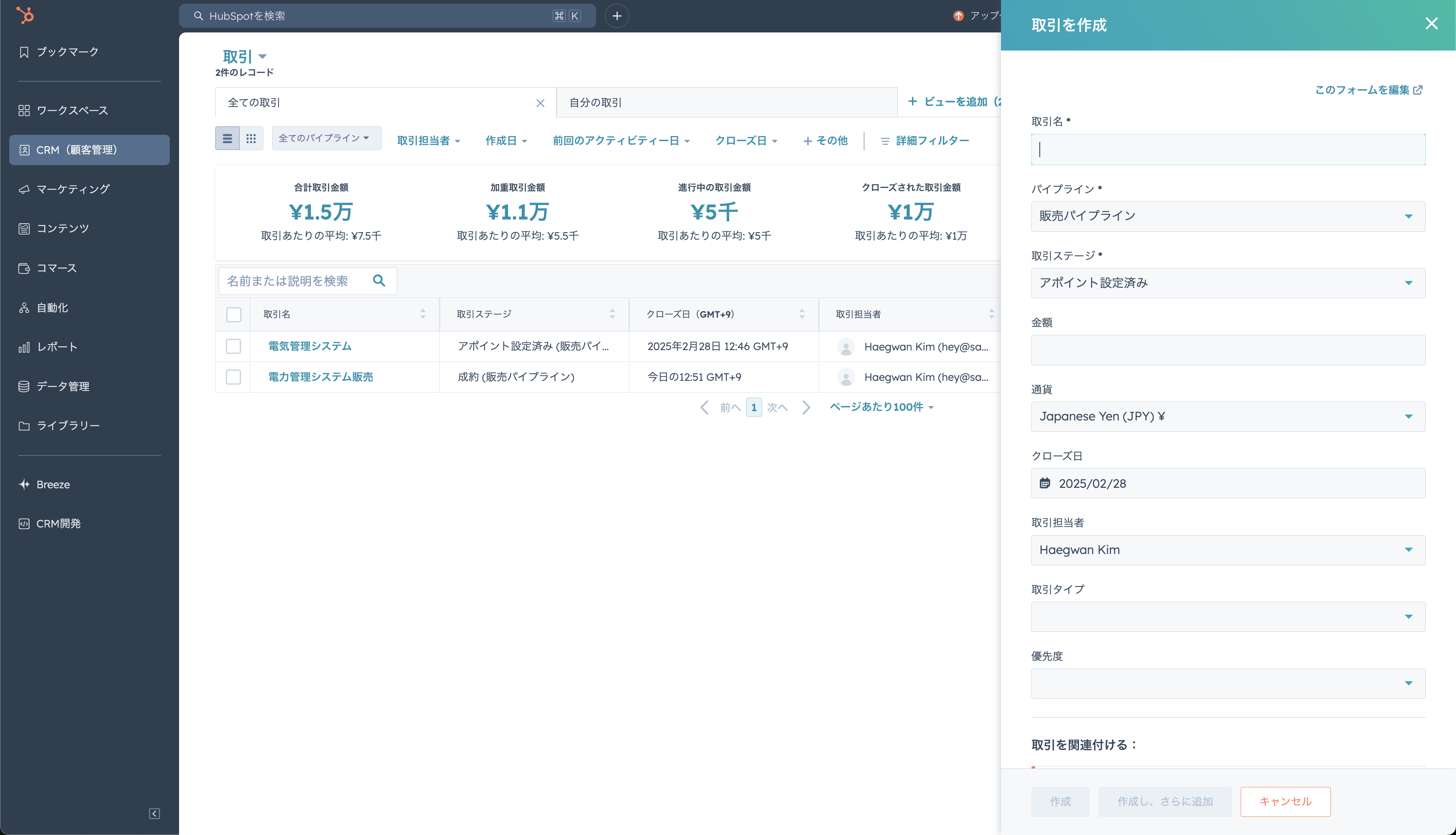 During deal progression, sales creates a deal record in HubSpot. This makes progress visible and improves team-wide sharing and management.
1-3. (Excluded in this demo) Inquiry handling: respond in the HubSpot inbox
Sales reps respond to inquiries using HubSpot Inbox whenever they occur. Rapid communication and a clear response history are essential in this step.2-1. Create quotes, purchase orders (e-contracts), and subscription records in Sanka
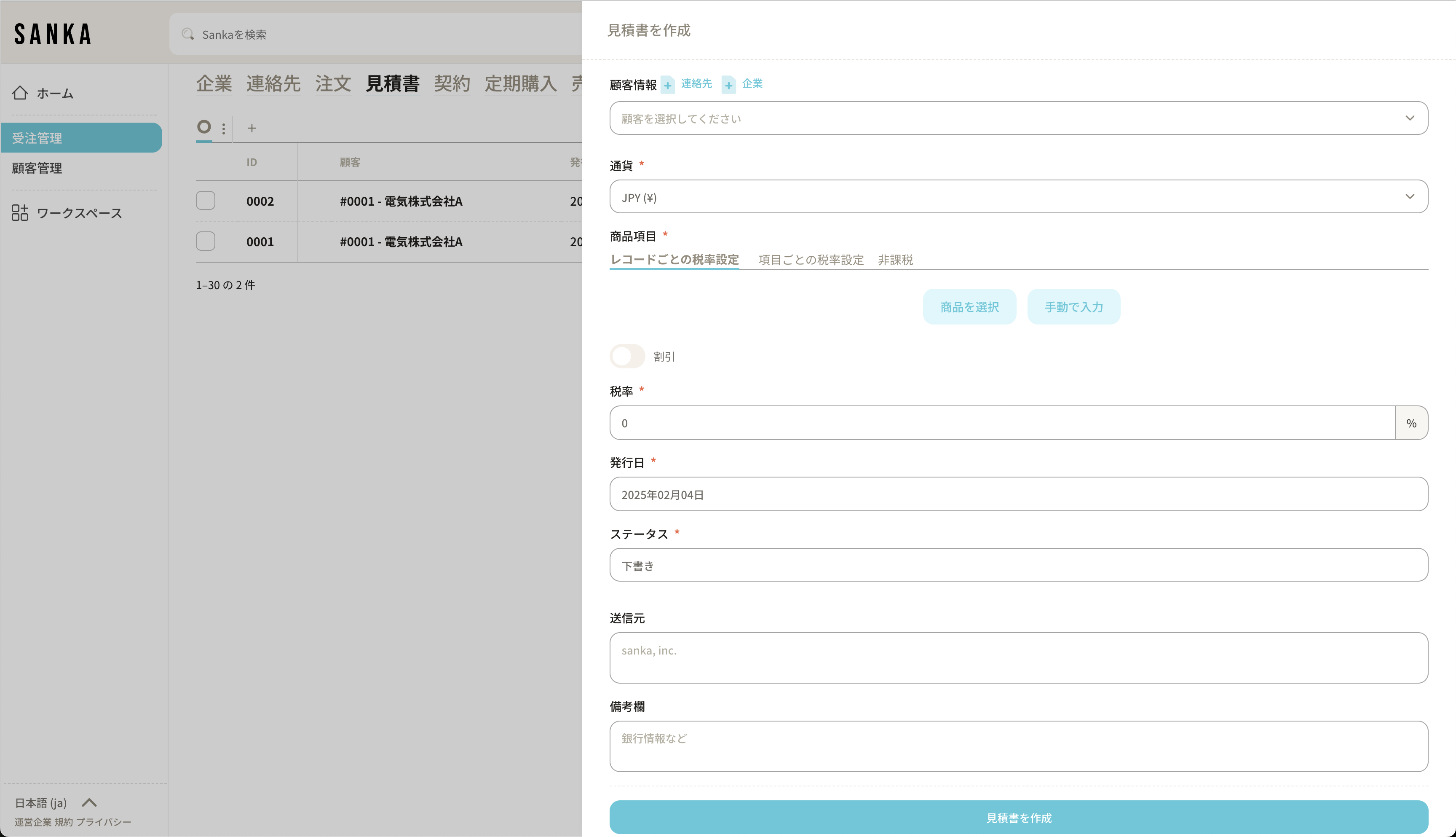 Back-office staff review order details every morning in Sanka using data synced from HubSpot, then create quotes and purchase orders (e-contracts).
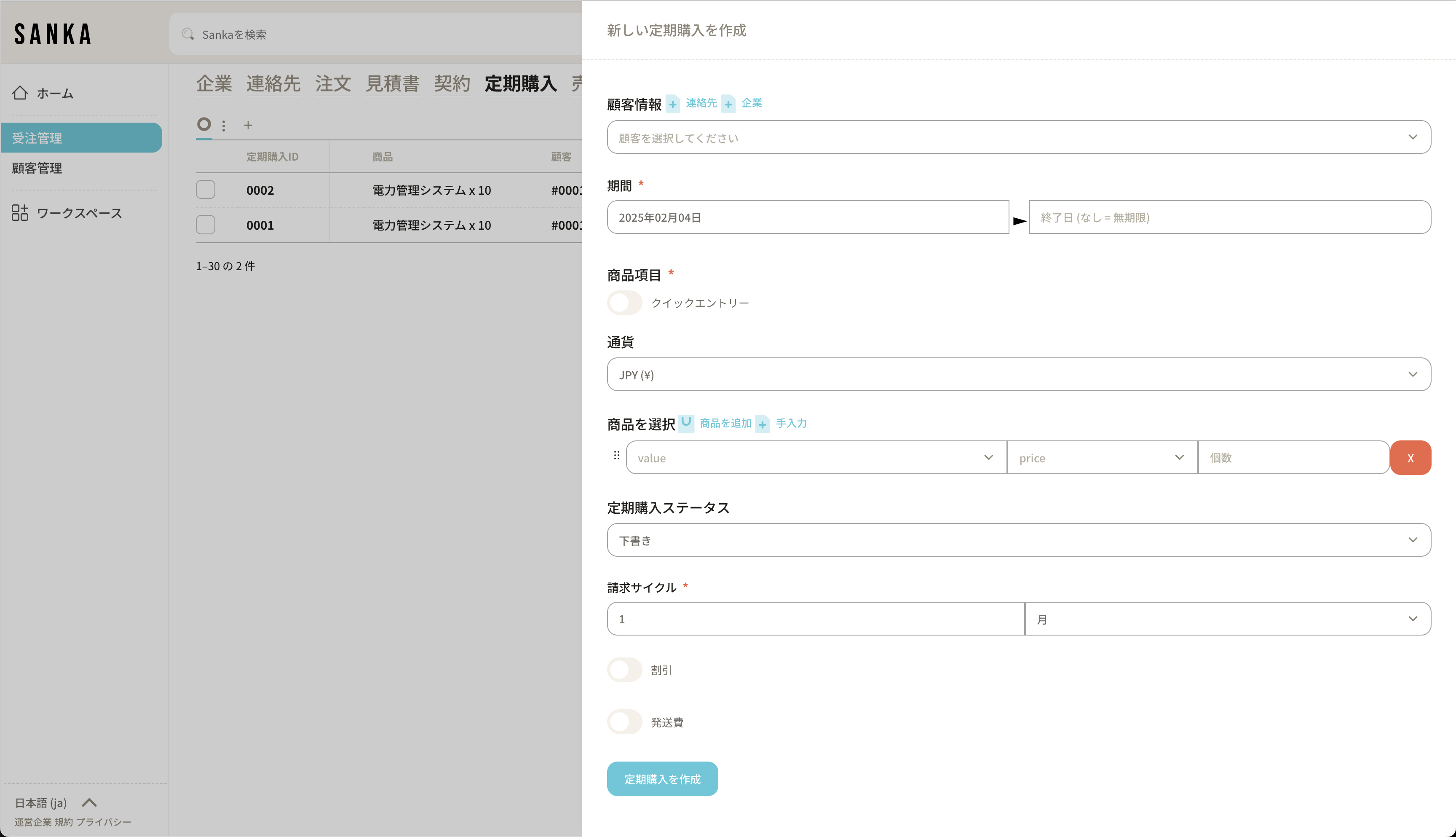 Digitizing contracts helps achieve paperless operations at the same time.
Subscription records are also managed at this stage, enabling accurate contract management.
Digitizing contracts helps achieve paperless operations at the same time.
Subscription records are also managed at this stage, enabling accurate contract management.
2-2. Create invoices, confirm payments, and analyze in Sanka
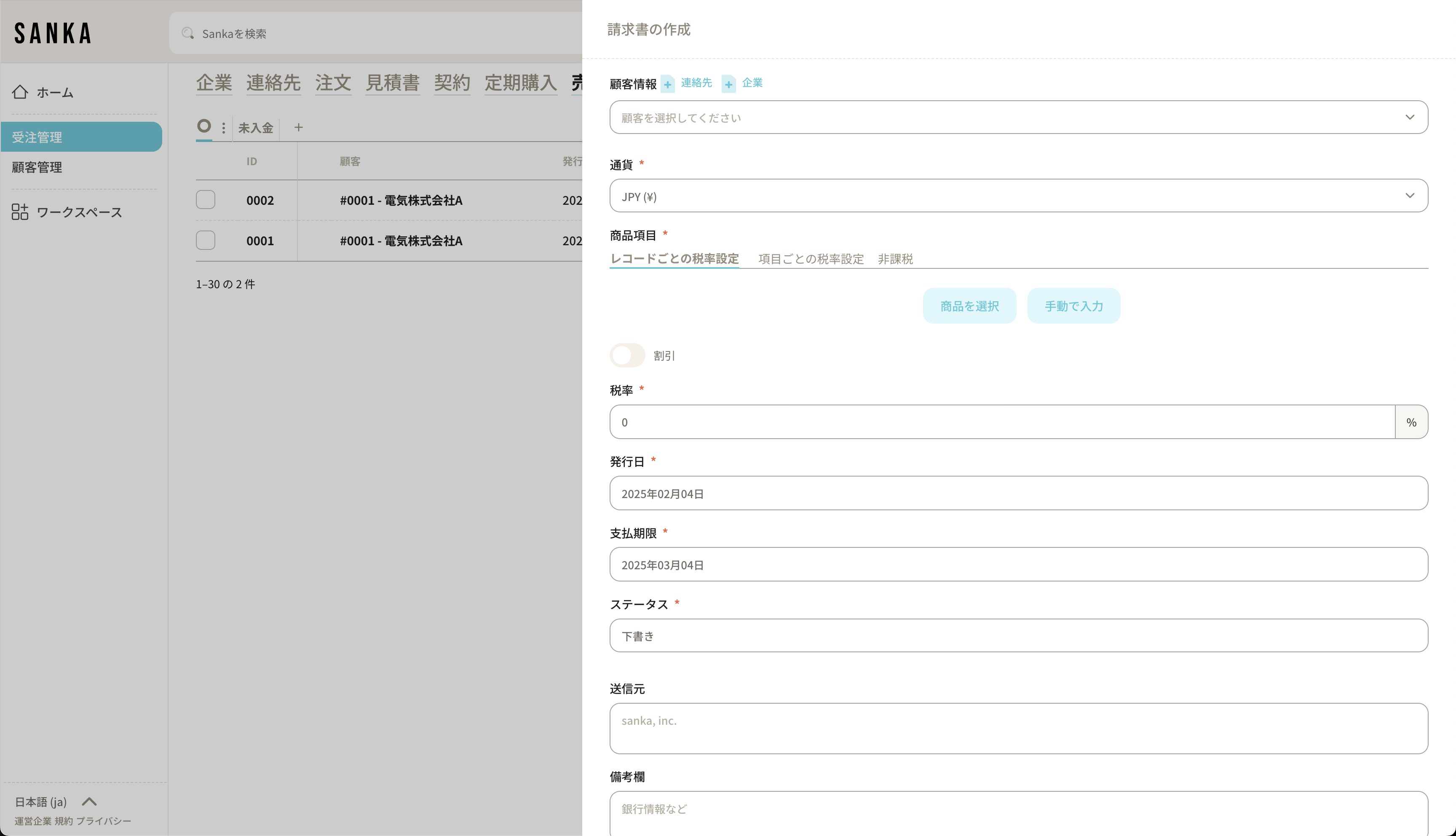 Back-office staff create invoices every morning or monthly in Sanka (invoices can also be generated automatically based on subscription data). They then confirm payment status and follow up on unpaid accounts.
This reduces back-office workload and helps prevent missed or incorrect payment confirmations.
Back-office staff create invoices every morning or monthly in Sanka (invoices can also be generated automatically based on subscription data). They then confirm payment status and follow up on unpaid accounts.
This reduces back-office workload and helps prevent missed or incorrect payment confirmations.
Analysis
In the final phase, analyze key KPIs such as MRR (Monthly Recurring Revenue), ARR (Annual Recurring Revenue), and retention rates based on subscription data. By identifying upsell/downsell opportunities by segment, you can drive overall revenue growth.Summary
By integrating Sanka and HubSpot, you can unify front-office and back-office processes for a B2B subscription business.- Sales can manage customer and deal information efficiently in HubSpot and focus on closing business.
- Back office can use Sanka automation to quickly and accurately issue quotes and invoices, manage e-contracts and subscriptions, and confirm payments.
- Leadership can track key metrics such as MRR, ARR, and retention rates to inform upsell and downsell strategies.