

 This article explains a workflow that improves sales efficiency while managing inventory in real time by integrating HubSpot and Sanka.
Using a kitchen equipment manufacturer as an example, we walk through the structure and benefits based on a live demo.
This article explains a workflow that improves sales efficiency while managing inventory in real time by integrating HubSpot and Sanka.
Using a kitchen equipment manufacturer as an example, we walk through the structure and benefits based on a live demo.
Demo video
Table of contents
- Background: challenges to solve
- Solution with Sanka x HubSpot
- Workflow in the demo
- Operational impact
- Summary
Challenges to solve
Many companies face the following issues.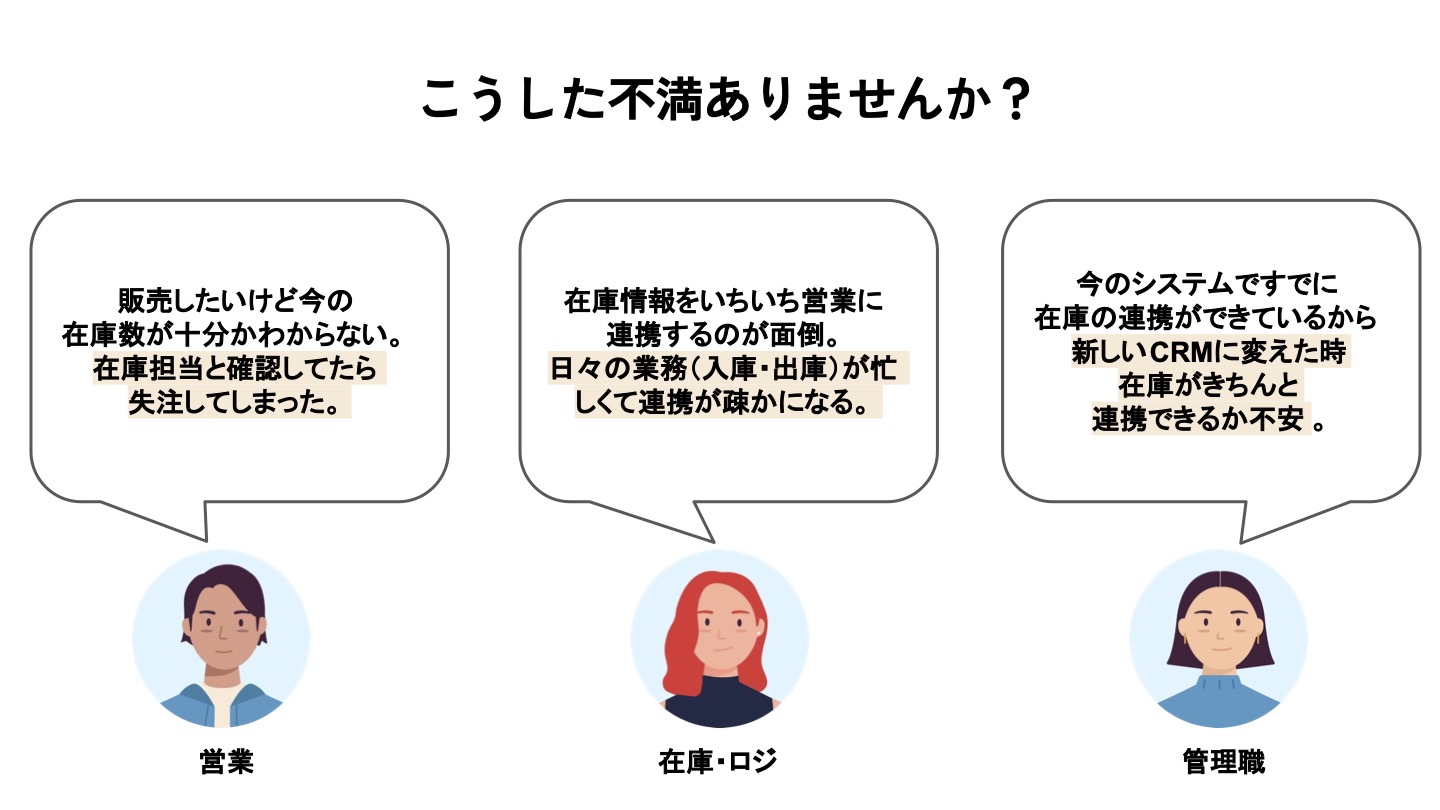
- Challenges for sales teams Sales reps frequently face situations like “I want to sell, but I do not know current inventory levels.” They spend time asking inventory or logistics staff to confirm stock and may lose deal opportunities while waiting.
- Challenges for inventory and logistics teams With daily inbound, outbound, and stock-taking work, it is hard to continuously relay inventory updates to sales, making efficient coordination difficult.
Solution with Sanka x HubSpot
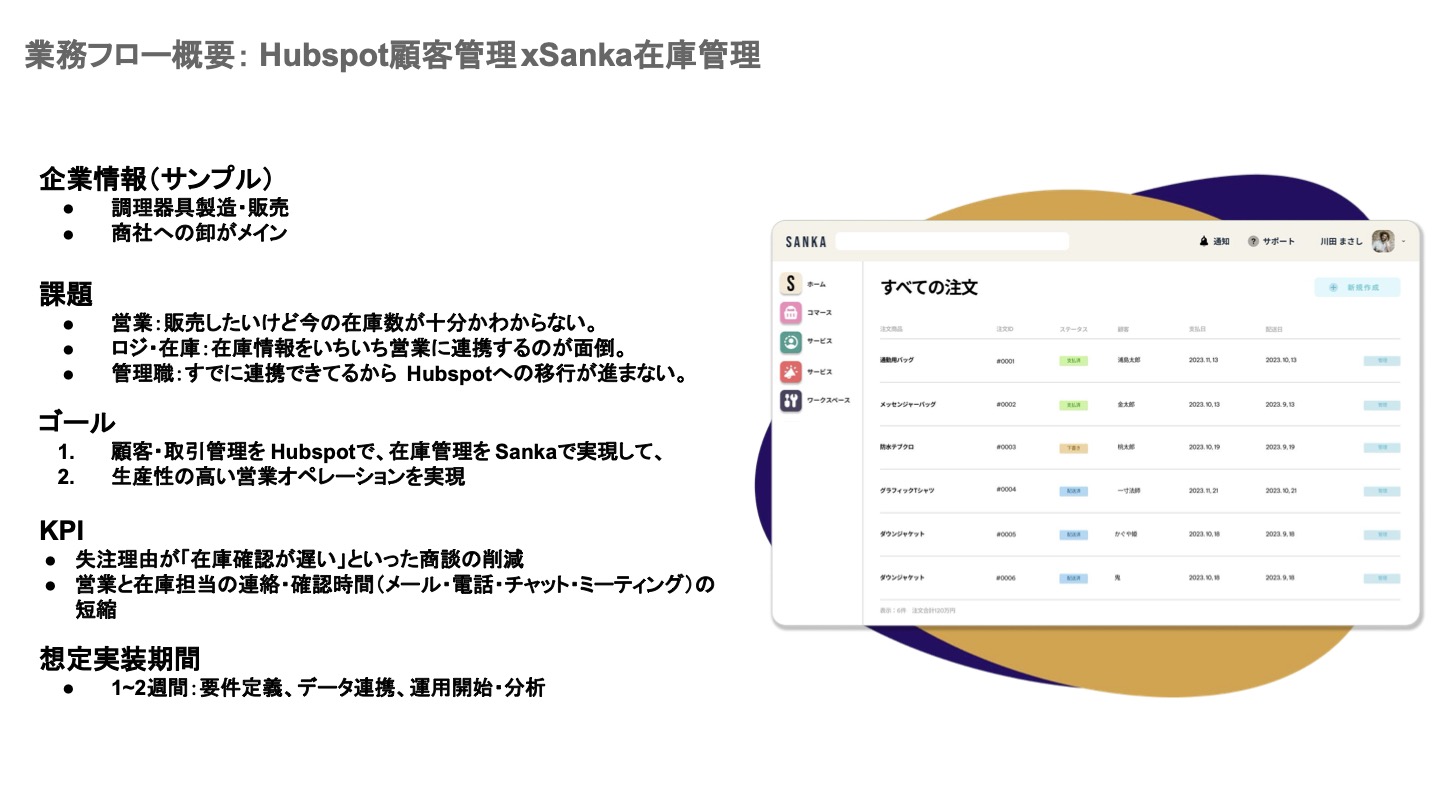 Sanka addresses these issues by providing a new workflow through HubSpot and Sanka integration. Key points include:
- Real-time inventory visibility By connecting HubSpot CRM with Sanka’s inventory system, you can view the latest inventory status in real time. Sales reps can always check accurate stock levels and respond quickly.
-
Efficient sales process
- Sales reps manage customer information and deals in HubSpot and move through the process from quotes to orders and invoicing.
- Inventory management is handled in Sanka, which syncs inventory data to HubSpot in real time. Shipment and receipt updates are automatically reflected, making coordination smooth.
Workflow in the demo
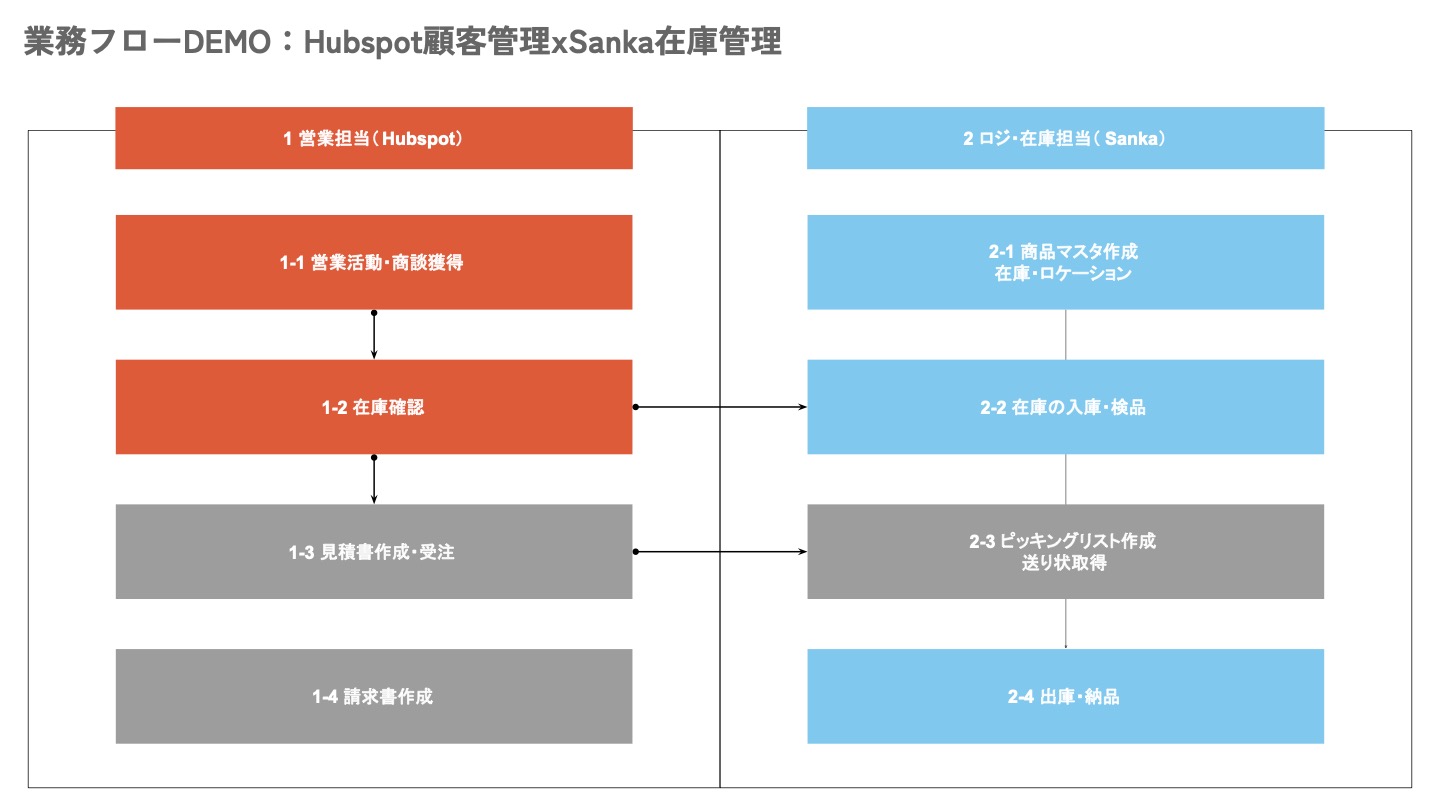 Here we explain the workflow using a company that manufactures and sells kitchen equipment. Assume a HubSpot inquiry to sell 100 meat slicers.
| Process ID | Owner/Module | Frequency/Timing | Task |
|---|---|---|---|
| 1-1 | Sales (HubSpot) | As needed (lead/deal creation) | Sales activity and deal generation |
| 1-2 | Sales (HubSpot) | During deal progression | Inventory check (view product/inventory info in Sanka) |
| 1-3 | Sales (HubSpot) | Quote/Order confirmation | Create quote and order |
| 1-4 | Sales (HubSpot) | Billing timing (after delivery) | Create invoice |
| 2-1 | Logistics/Inventory (Sanka) | When starting new items/inventory | Create/import item master data, register inventory and locations |
| 2-2 | Logistics/Inventory (Sanka) | At inbound | Receive and inspect inventory |
| 2-3 | Logistics/Inventory (Sanka) | Before outbound | Create picking list and shipping labels |
| 2-4 | Logistics/Inventory (Sanka) | Outbound/Delivery | Ship and deliver (arrange delivery if needed) |
- Start the deal Sales reps enter customer and deal details in HubSpot.
- Automatic inventory checks With HubSpot connected to Sanka, inventory data is displayed in real time. Sales no longer needs to ask inventory staff for confirmation.
- Shipment and receipt updates When outbound processing happens, Sanka automatically updates inventory counts. For example, if 10 of 100 items ship, inventory in HubSpot updates to 90. This sync runs automatically every minute or every hour using Sanka’s “Power Inventory” tool.
- Orders and downstream steps With up-to-date inventory, sales quickly prepares quotes and orders. If stock is low, they can trigger replenishment to avoid impacting other deals.
Operational impact
With HubSpot and Sanka integrated, you can expect the following benefits.- Time savings and higher efficiency Manual inquiries and inventory checks are eliminated, making the overall process smoother.
- Reduced risk of lost deals Real-time inventory visibility greatly reduces the chance of missing sales opportunities.
- Stronger cross-team collaboration Automated sync improves communication between sales and inventory/logistics teams and boosts productivity.