Sanka Docs home page
Document
Developers
Partners
Search...
Navigation
Workspace Settings
Timezone Settings
Search...
⌘K
Home
Documentation Home
Get Started with Sanka
Sanka Core Concepts
Product Guides
Settings
How to Create an Account
How to Invite and Manage Users and Permissions
Workspace Settings
How to Manage and Create Modules
ワークスペースを作成する
Timezone Settings
How to Check and Download Workspace Logs
ワークスペースを削除する
Property Settings
Views and Forms
About Sanka Associations: Differences from RDB Relations
Advanced Search & Search Scope
Shortcut Keys
Document Template Settings
Objects
Tools
Integrations
Troubleshooting
Guides by Integrations
HubSpot
Salesforce
Shopify
Stripe
Guides by Functions
Commerce & Billing
Supply Chain
Accounting & Reports
Resources
Services
Case Studies
Interviews
English
Product Guides
Settings
Workspace Settings
Timezone Settings
Copy page
Configuring your timezone settings
Copy page
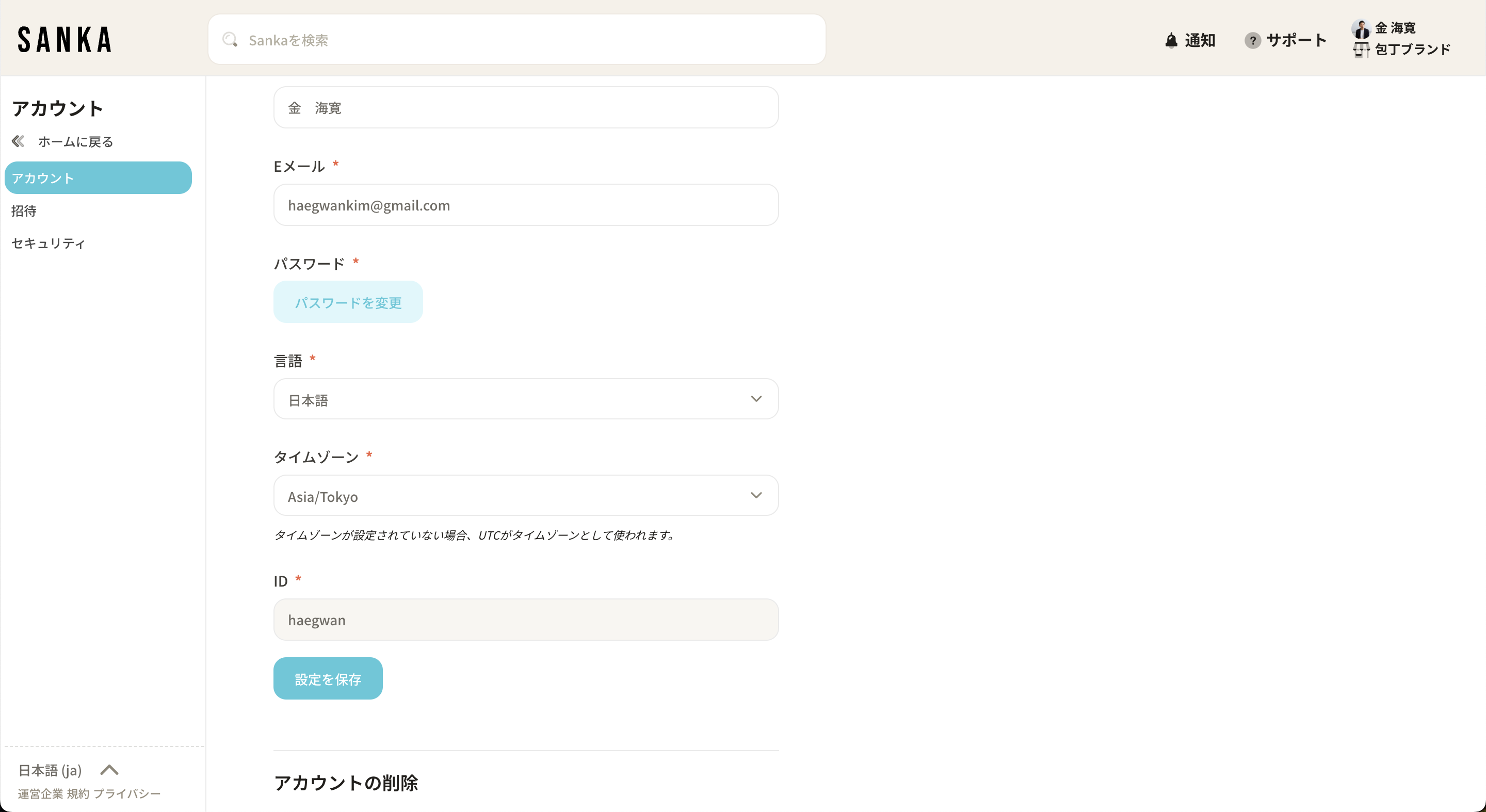
As Sanka is used globally, you can configure the timezone for each user.
The times shown in tables will be displayed based on the user’s configured timezone (UTC is used by default if not set).
You can change this from your account settings if needed.
ワークスペースを作成する
Previous
How to Check and Download Workspace Logs
Next
⌘I